

[Page updated: September 2, 2026]
If you own a physical PS4 copy of The Witcher 3: Wild Hunt, you can still claim the game’s free PS5 upgrade on a PS5 with a disc drive.
The original PS5 version launched as a free upgrade in 2022, and CD Projekt RED is now preparing The Witcher 3: Wild Hunt Remastered, which will launch on September 29, 2026, as another free upgrade for exisiting owners.
This guide has been updated, and explains how to claim the current PS5 version with a physical PS4 copy, what type of PS5 you need, and what happens when the 2026 remastered version arrives.
2026 Update: The Witcher 3 Remastered is Coming
The Witcher 3: Wild Hunt Remastered is scheduled to launch in September 2026, as a free upgrade for exisiting owners of The Witcher 3.
The Remastered version will include significant visual and gameplay improvements, including revamped combat, improved animations, updated monster behavior, a revamp to the game’s skill trees, and more. When the remastered was announced in Gamescom 2026, the developers also shared that the first two expansions of the game is now free to all owners of the base game. This is likely to give players a chance to prepare not only for The Witcher 4 but for Witcher 3’s upcoming new expansion Songs of the Past, which isn’t a small DLC addition but a full expansion similar to Hearts of Stone and Blood and Wine.
If you already own The Witcher 3, you will not need to purchase the Remastered version separately. The 2026 release is being offered as a free upgrade to existing owners.
If you still have your PS4 copy of the game and want to prepare, this is how I was able to claim the PS5 version of the game from a physical PS4 copy.
Witcher 3: Wild Hunt PS5 free Next-gen update
The weird thing about this free next-gen update is that it doesn’t automatically become available the moment you pop in the PS4 version of the game on your PS5. When you hit the storefront, all that’s in front of you will be The Witcher 3: Wild Hunt Complete Edition, not the actual upgrade.
A bit frustrating as I had to go back and forth trying to figure out how to get the next-gen upgrade to start downloading. After trial and error, the upgrade is in the PlayStation Store’s ellipsis button, a button that’s found in almost all of the game’s store page.
Here’s how I got the PS5 upgrade to start downloading.
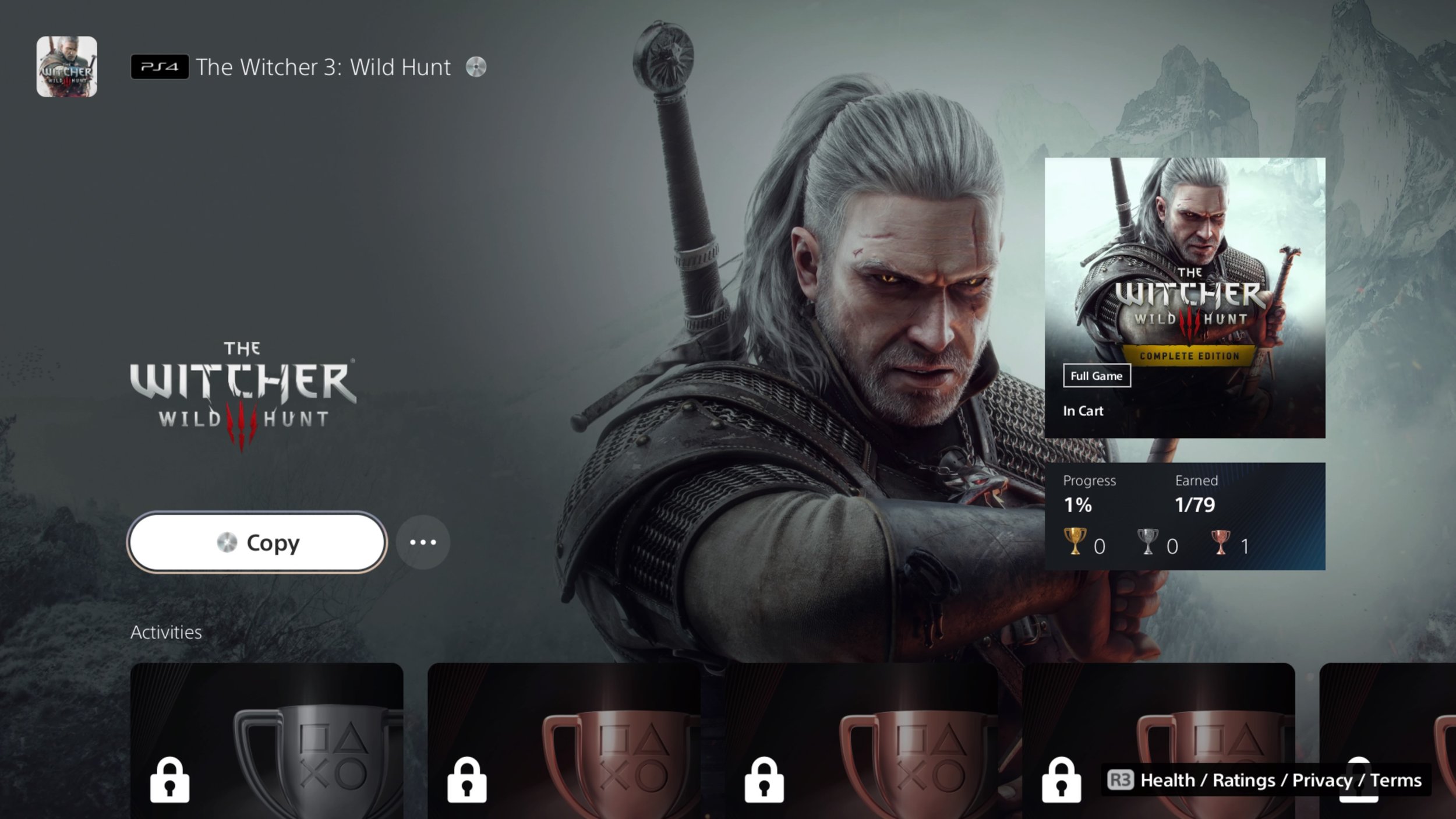
Step 1 - Insert Your PS4 Disc
When you boot your PS4 copy of the game, you’ll see the option to copy the contents inside the disc. Press ‘COPY’ and just wait for it to install.
Once done, the latest patch of the PS4 version should appear in your download list. You can cancel that.
Step 2 - Enter the PlayStation Store through The Witcher 3 Complete Edition
Remember seeing the ellipsis button right beside the ‘COPY’ button in the PS5 dashboard? Press that then press ‘Select Version’. This will show you two choices — The PS4 The Witcher 3, or The Witcher 3: Wild Hunt Complete Edition. Choose the Complete Edition and you’ll enter the store front of that version of the game.
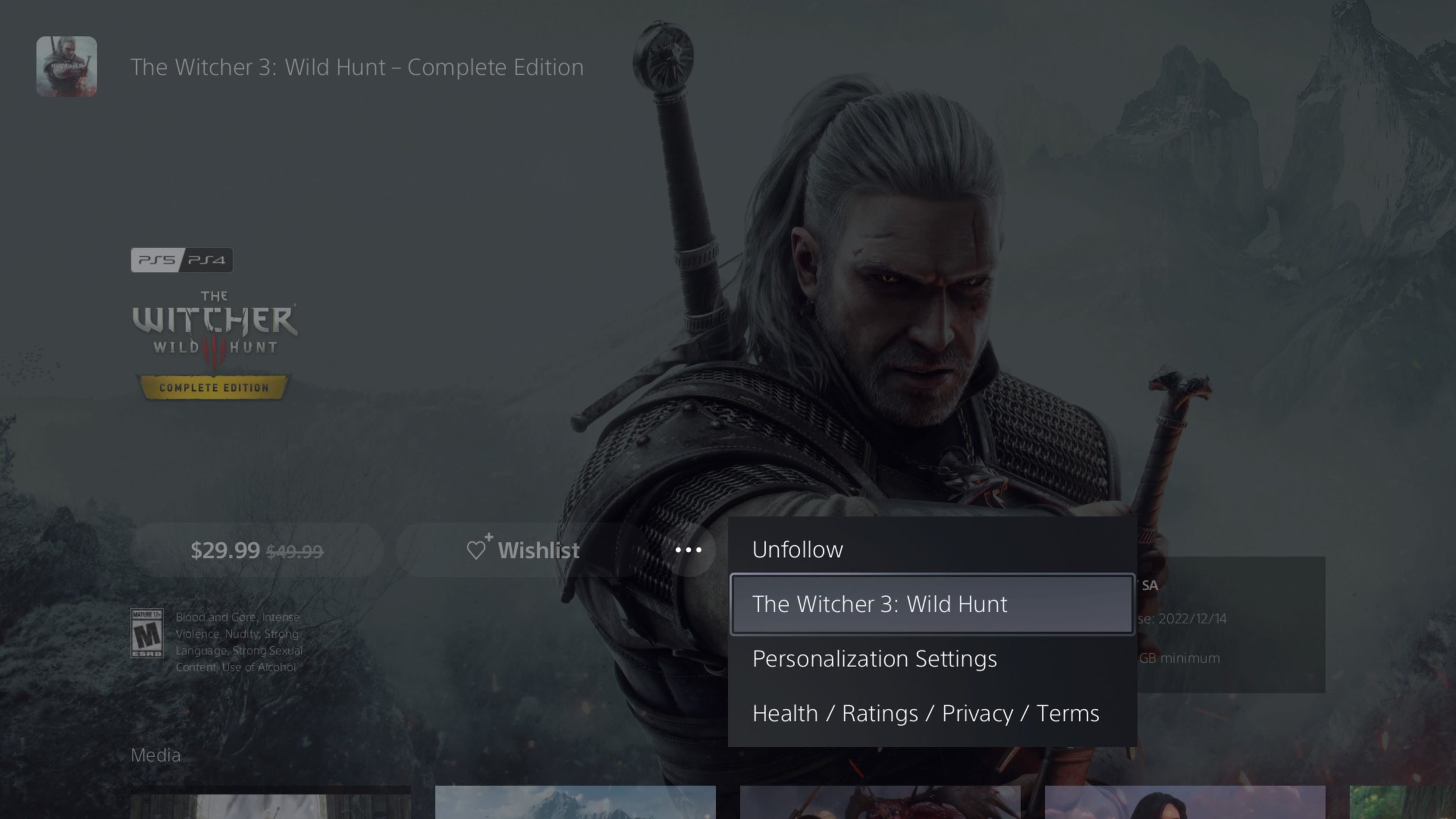
From here, press the ellipsis button again (right beside ‘Wishlist’). You will then see ‘The Witcher 3: Wild Hunt’. Press that option as it brings you to the base game’s store page.
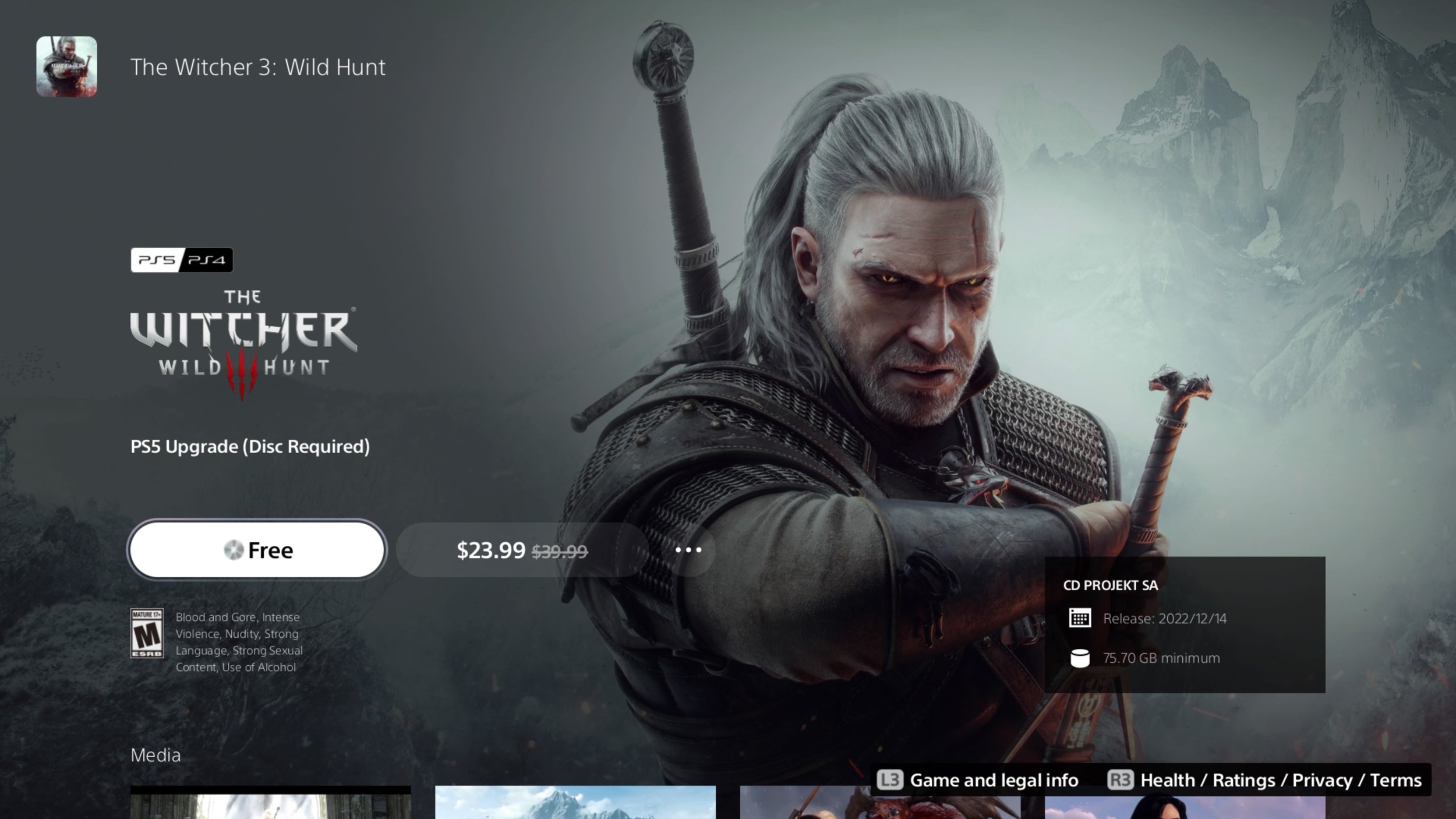
Step 3 - Claim the free next-gen PS5 upgrade
Once you enter the base game’s PlayStation store page, you’ll see the ‘Free’ button. Clicking that will allow you to claim the PS5 version of the game and go through the usual steps as if you’re buying a digital copy of a game as you’ll be charged for zero for claiming the free upgrade.
Once that’s done you’ll finally be given the option to download the PS5 version of The Witcher 3: Wild Hunt.
Again, this guide is only for those who own a PS4 physical copy of the game, either a base copy or a Game of the Year copy.
Take note: Even though you have the PS5 version downloaded and installed, you’ll still need the PS4 disc copy inside your PS5 system to play this version of the game.
It’s weird that customers have to go through various menus to get the upgrade. Previous free next-gen upgrades were simple, but for some reason in this one, you’ll need to go through a few hoops to get it going.
You can delete the base PS4 version of The Witcher 3 from here as the PS5 version doesn’t replace it. I can’t confirm if installing the base game from the PS4 disc is really necessary to claim the Next-gen update of The Witcher 3 but that’s what worked for us.
Can I Get the PS5 Upgrade With a PS4 Disc on a PS5 Digital Edition?
No. It’s pretty self-explanatory as to why you can’t do this.
Does the PS4 Disc Region Matter?
Very much so.
Your PS4 disc needs to correspond to the country/region of your PlayStation account for the upgrade to work as intended. If you have an imported copy, check its region. If it’s not the same region as your main account, you’ll have to make a new PlayStation Store account on the same region as your Witcher 3 disc to get the upgrade.
Our The Blood of the Dawnwalker review explores Rebel Wolves’ dark fantasy RPG, its 30-day time limit, the day and night cycle curveball, excellent side quests, and shortcomings.